AI Tool Comparisons · 10 min read · Updated 2026-07-18
AIfluence vs InVideo AI: Character-Led Studio or Prompt-to-Video?
Compare AIfluence and InVideo AI for persistent creator identities, prompt-to-video production, custom voice, campaign assets, and publishing operations.
Short answer
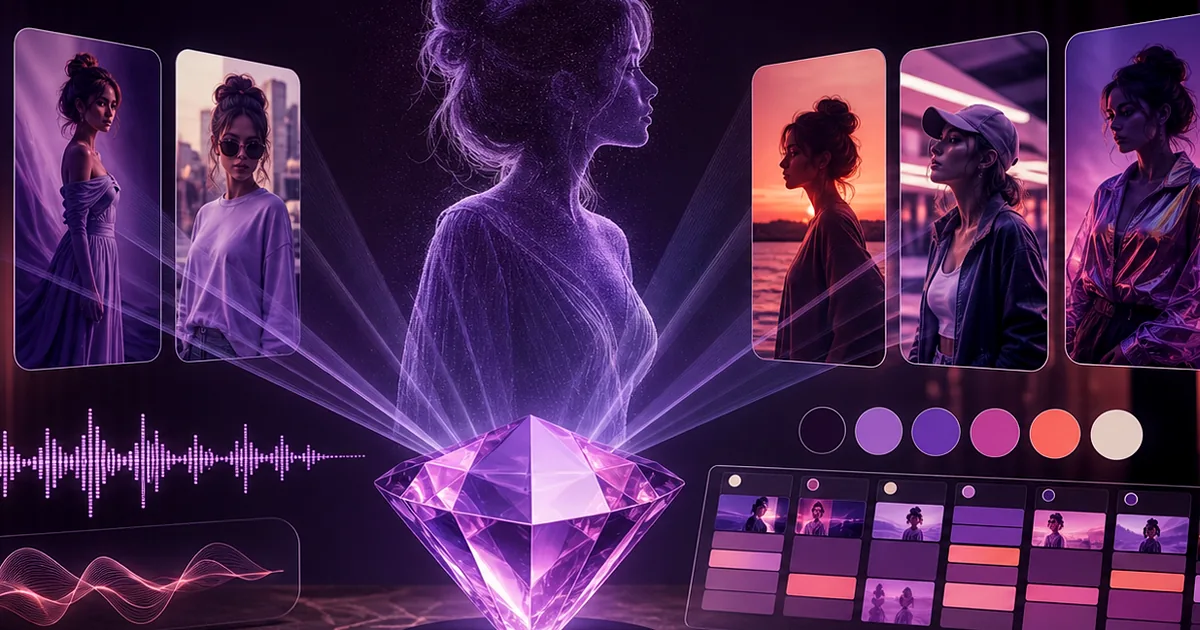
AIfluence fits content programs centered on a reusable custom creator who must remain recognizable across images, cloned voice, speaking video, campaigns, and scheduled posts. InVideo AI is a relevant candidate when the main job is turning prompts or scripts into complete videos through its current creation and editing workflow. Decide whether the brand asset is the recurring character or the assembled video; that answer determines which workflow deserves to be primary.
Our verdict
Choose AIfluence for character-led social production and ongoing identity operations. Choose InVideo AI when rapid prompt-to-video assembly for faceless, narrated, stock-led, or broader marketing formats is the dominant job, subject to verifying its current capabilities. A hybrid can work when AIfluence supplies approved persona assets and a video tool assembles specific formats, but provenance and visual continuity need active management.
Best for
- Teams distinguishing persistent virtual creators from general AI video generation
- Marketers comparing character continuity with rapid assembled-video production
- Operators testing a hybrid pipeline without losing approvals or source records
At-a-glance comparison
| Production question | AIfluence | InVideo AI |
|---|---|---|
| What anchors the project? | A custom creator identity and recurring campaign | A prompt, script, or assembled video outcome |
| Identity continuity | Face, voice, and speaking content share a creator context | Test current avatar or character continuity if required |
| General video assembly | Focused on the creator's media and operating flow | Evaluate current prompt-to-video, editing, media, and voice options |
| Downstream operation | Content library, workflows, and scheduling | Define where approved exports, metadata, and publishing will live |
| Best trial | One week of mixed creator posts | Several script-led video styles with the same brand rubric |
Character generation and video assembly are different centers
A character-led system begins with who is communicating. Every scene and script must reinforce that identity. A prompt-to-video system often begins with what needs to be communicated, then assembles narration, visuals, text, and pacing into a finished video. AIfluence is oriented around the former while InVideo AI should be evaluated for its current version of the latter. Both can produce useful marketing media without being substitutes for every workload.
Look at your last twenty briefs. Mark whether success depended on recognizing a recurring persona or quickly explaining a topic. Product demonstrations, list videos, news summaries, and faceless education may favor efficient assembly. A virtual influencer's feed, personalized speaking content, and character series may favor the persistent identity. Weight the future calendar rather than whichever example is easiest to generate.
Test narrative control, not just generation speed
Give both workflows a 45-second brief with a hook, three beats, one exact claim, one prohibited claim, a call to action, and visual requirements. Inspect whether the result preserves facts, follows the order, uses appropriate media, and leaves room for captions. Fast first drafts can be useful, but they create risk if editors must fact-check and replace every scene.
For AIfluence, build a version led by the recurring creator and include a related still asset. For InVideo AI, use the officially supported prompt-to-video workflow and edit toward the same communication goal. Track prompt iterations, scene replacements, script changes, voice revisions, render time, and review. The accepted final—not the first generated preview—is the unit of comparison.
- Lock factual source material before generating the script or scenes.
- Check licenses and usage conditions for every incorporated media asset.
- Preview captions and on-screen text at mobile size before approval.
Persistent personas need a stricter continuity layer
When a creator appears repeatedly, small differences in face, age, styling, voice, and worldview accumulate. AIfluence's custom identity approach is intended to make the persona the reusable foundation. If you test a general video tool for the same job, include several episodes with different scenes and measure continuity across them. A single video cannot establish that the character will survive a season.
Keep a character bible and approved reference pack outside any generated script. Review new imagery against fixed traits and label experimental variations. Do not allow a video assembler to silently substitute a generic presenter or mismatched visual when the identity is part of the promise. Conversely, do not force a recurring character into an informational format where it adds no audience or brand value.
A hybrid workflow needs provenance at scene level
If AIfluence creates the persona assets and InVideo AI assembles the finished video, record the origin and rights of each scene, voice, music track, and stock element. Preserve the approved source exports. Assign one system as the campaign record and return the finished video there with its caption, thumbnail, and approval status. Otherwise, the scheduled file becomes disconnected from the materials that justify its use.
Start the hybrid manually with two videos. Automation before the review model is stable can scale incorrect claims or inconsistent visual substitutions. Add checkpoints after script approval, scene selection, voice generation, and final render. Once those gates work, template the naming and metadata so the handoff is repeatable for a second producer.
Choose based on cost per approved viewing minute
For video-heavy programs, calculate total production cost divided by approved final minutes, then pair it with performance and reuse. Include planning, generation, usage, media replacement, voice work, editing, render, review, and upload. For a character-led calendar, also calculate accepted posts per identity and the rate of continuity rejection. These metrics prevent a cheap draft from hiding expensive repair.
Review both vendors' current official feature pages, terms, plan limits, and media rights when buying. Features in AI video move quickly, so a dated checklist is less reliable than a repeatable evaluation. Select the platform whose production center matches your calendar, and add a second system only for a documented, measurable gap.
Frequently asked questions
Is InVideo AI an AIfluence alternative?
It is an alternative for some AI video jobs, but not necessarily for the full persistent-creator workflow. AIfluence centers a custom identity and content operation; InVideo AI should be assessed for its current prompt-to-video and editing experience.
Which is better for faceless videos?
A prompt-to-video platform may be a more direct candidate when no recurring character is required. Test InVideo AI and other current video tools using your script, factual sources, media requirements, and editing rubric.
Which is better for an AI influencer series?
AIfluence is designed around a reusable face, voice, and creator workflow. Test several episodes and formats to verify continuity, because one successful sample cannot prove series-level consistency.
Can I combine the tools?
Yes, if AIfluence supplies approved persona assets and a video tool creates a format you need. Maintain scene-level provenance, one master script, explicit review gates, and a canonical campaign record.
Primary sources
Product capabilities and policies can change. Recheck these official sources when you buy or publish.